 AILibrary
Important: Provider interfaces and export contents can change. Confirm the provider’s current procedure before exporting private data.
Step 1 — Request and download your Gemini data
- Sign in to the Google Account used for Gemini.
- Visit Google Takeout and choose Deselect all.
- Select My Activity / Gemini Apps activity for chat history, checking the options carefully; the separate Gemini entry may contain Gems rather than your chats.
- Choose an archive format, create the export and download the completed archive.
Official provider instructions: Gemini export help.
The Takeout “Gemini” selection and “Gemini Apps activity” are not necessarily the same. Check that the downloaded archive actually contains the conversations you need before attempting import.
Step 2 — Import the export into AILibrary
- Start AILibrary on your computer.
- Open File → Import Source and select Gemini.
- Choose the provider export you downloaded. For ChatGPT and Claude this is normally an archive; for Copilot it is CSV. For Gemini, use the supported downloaded activity export.
- Follow the import prompts, then review the resulting conversations in the library.

Step 3 — Search, organise and export
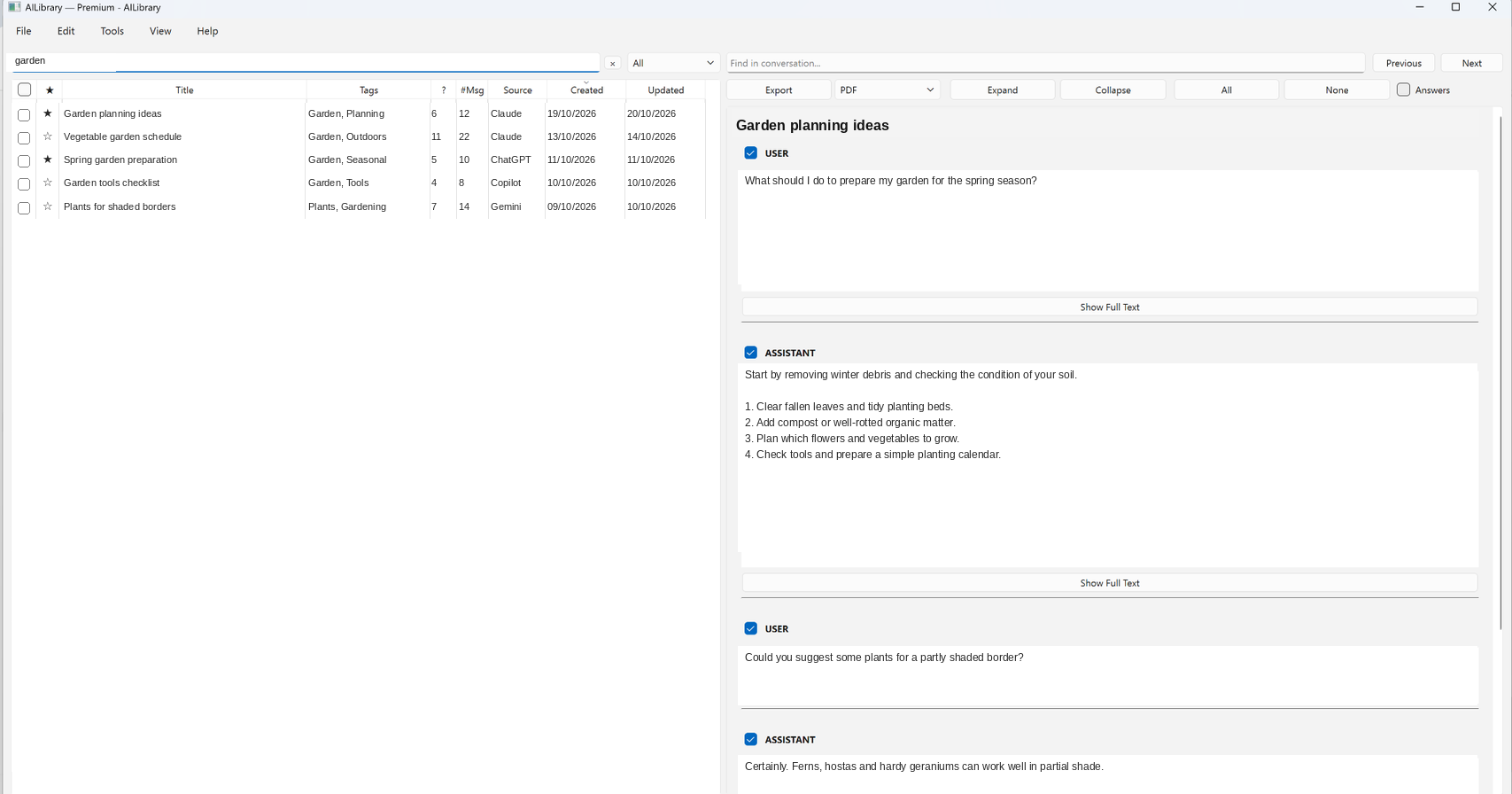
Search by conversation title or text, add tags and notes, and mark important discussions as favourites. To create a portable copy, select a conversation and choose PDF, Word, Markdown, HTML or Plain Text in the Export menu.
Troubleshooting
- No conversations imported? Check that your export contains conversation history and that you selected the matching import source.
- Export unavailable? Check your account or organisation's permissions and the provider's help page.
- Unexpected formatting? Export formats evolve. Try the latest AILibrary release and consult support.
- Privacy: Keep original archives secure and avoid sharing private conversation exports in support requests.
Keep your Gemini conversations searchable
AILibrary provides a local desktop library for importing, searching and exporting supported AI conversations.
Download AILibrary All documentationReviewed 23 October 2026. Provider exports and available formats can change.