 AILibrary
Bring services together
Import supported export files from ChatGPT, Claude, Gemini and other AI services. Browse them by title, source, dates and tags without switching between providers.
See supported importsWhen your conversations span several AI services, finding an old answer can take longer than asking the question again. AILibrary turns the exports you already own into one local, searchable desktop library.
Windows, Linux and macOS · Free for up to 30 imported conversations · Premium removes the import limit
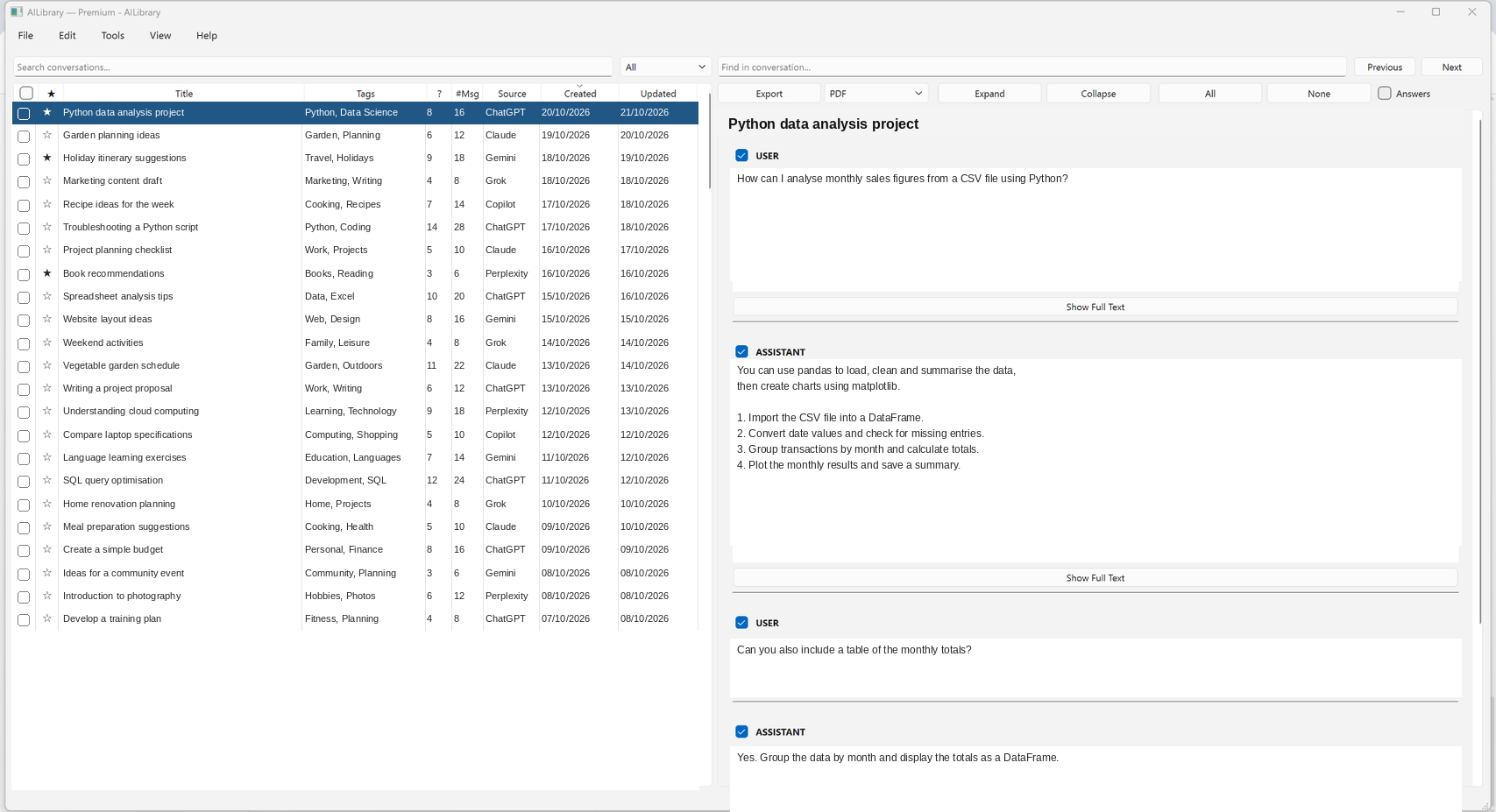
AILibrary is designed to help you find and reuse information from conversations you have already had.
Import supported export files from ChatGPT, Claude, Gemini and other AI services. Browse them by title, source, dates and tags without switching between providers.
See supported importsUse full-text search across conversations, then find specific text within a conversation. Recover a solution, reference or explanation you would otherwise have to rediscover.
Explore search featuresExport selected conversations to PDF, Word (DOCX), HTML, Markdown or plain text. Keep readable records for technical notes, research or future reference.
Read an export guideA useful answer might be in a ChatGPT troubleshooting session, a Claude research discussion or a conversation with another supported service. AILibrary lets you search imported histories from one interface.
Save context with tags, notes and favourites. For example, find an old configuration fix, a research source or an earlier draft without keeping separate folders of copied text.
See search and organisation tools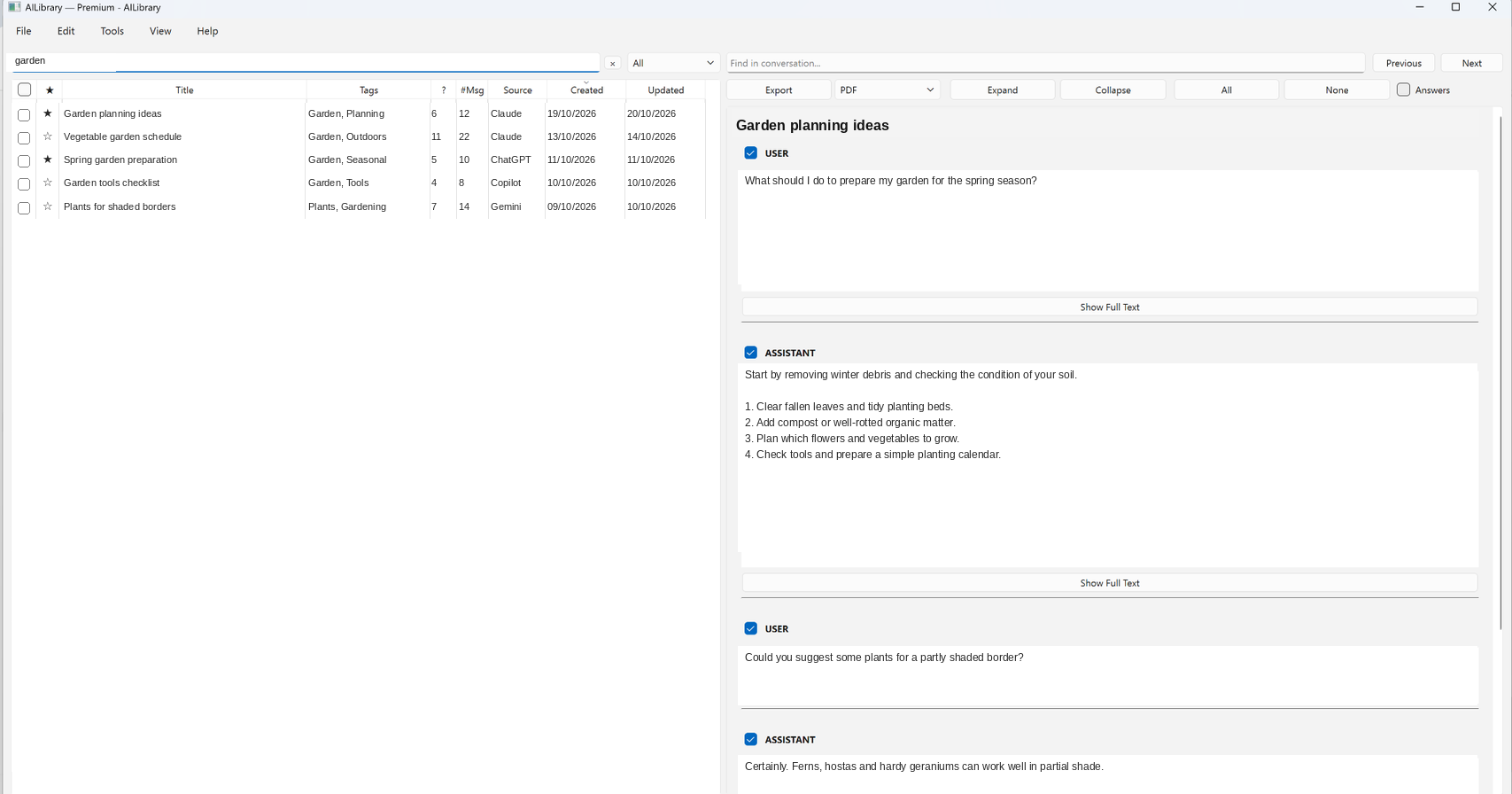
There are several sensible ways to retain AI work. AILibrary is particularly useful when you have histories from more than one service and want a standalone desktop archive.
| Approach | Good for | Considerations |
|---|---|---|
| Keep chats in each AI service | Occasional use of one provider and access to its native interface | Conversations remain divided between providers when you use several services |
| Copy useful text into notes or documents | Saving a few carefully selected answers | Copying and formatting long histories can take time |
| Browser capture or conversation extensions | Capturing chats while using supported websites | Features, browser support and storage models vary by product |
| AILibrary desktop archive | Combining supported provider exports, local searching, organisation and document exporting | You need to request export files from your AI providers and import them into AILibrary |
This compares general workflows, not individual competitors. Other products may offer overlapping features, and provider export capabilities vary.
AILibrary stores imported conversation content in a local database. Search, tags, notes and document exporting use that library, and you can make backups of your database.
For clarity: AILibrary is not a cloud synchronisation service. Premium activation and periodic licence verification use an online licensing service; Stripe processes subscription checkout.
How AILibrary handles your dataAILibrary is a library for conversations you've already had, not another AI chatbot. It does not automatically sync new messages from your AI accounts or guarantee that every provider export contains all content.
Each AI service has its own export procedure and file structure. The documentation explains which formats are supported and how to import them.
Free: Import up to 30 conversations with search, organisation and export tools.
Premium: Remove the 30-conversation import limit. Monthly and annual subscriptions are available.
If Premium ends, your existing library remains accessible; the Free limit applies to new imports.
Download AILibrary, import your supported conversation exports and see how quickly you can find earlier work.