 AILibrary
Bring conversations together
Import supported exports from ChatGPT, Claude, Gemini and other AI services into one collection, with source and date information.
AI conversations often contain valuable answers, research and technical solutions. AILibrary gives those conversations a place where you can find, organise and reuse them long after the original discussion.
Desktop application for Windows, Linux and macOS. Free for up to 30 imported conversations.
Using several AI services can leave important conversations spread across different accounts, interfaces and export files. Finding an answer you previously worked out can become unnecessarily difficult.
AILibrary is designed to solve that practical problem. It brings conversations exported from supported AI services into a single desktop library, so useful work is easier to retain and reference.
Rather than copying individual discussions into documents, you can import supported export files and work with your conversation history in one place.
See how AILibrary fits different conversation-archiving workflows.
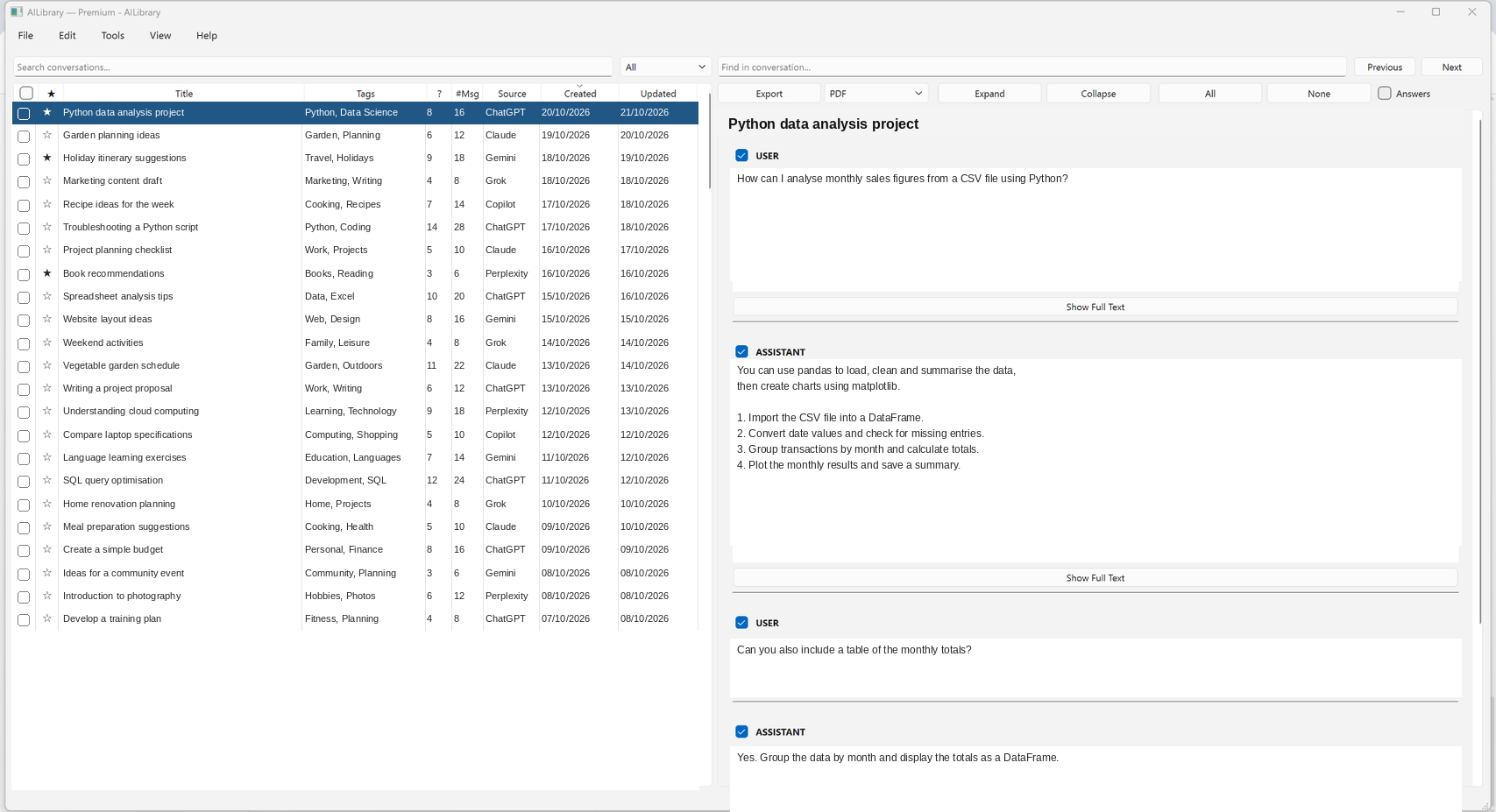
Three ways AILibrary helps turn exported conversations into a reusable resource.
Import supported exports from ChatGPT, Claude, Gemini and other AI services into one collection, with source and date information.
Use full-text search, tags, notes and favourites to locate previous answers and keep important conversations accessible.
Keep local database backups and export selected conversations to PDF, Word, HTML, Markdown or plain text.
AILibrary imports files that you obtain from the AI providers. It is not a live chat synchronisation service. View export and import instructions.
AILibrary is developed and maintained by Xenia Systems, an independent UK software supplier. Xenia Systems is a trading name operated as a sole-trader business, not a limited company.
The focus is on creating practical desktop software: tools that are understandable, useful and maintainable, with clear documentation and a straightforward way to get support.
Questions, feedback and problem reports are welcome at [email protected].
With an archive of AI discussions, it matters how the application handles information and how you can obtain help.
Imported conversations are stored in a database on your computer. Searching, organising and exporting use that local library.
How data is handledThe Free edition supports up to 30 conversations. Premium removes the limit. Premium licensing uses online verification; subscription checkout is handled by Stripe.
Compare Free and PremiumGuides explain provider-specific exports and common tasks. Published releases and version history help you see what's changed.
Release historyAILibrary is independent software and is not affiliated with the AI services whose export formats it supports. Import compatibility can change when providers update their export formats.
AILibrary is designed to be useful before you make any decision about Premium.
No. The Free edition includes search, organisation and export features, with a limit of 30 stored conversations.
No. You request or download the conversation export from each provider, then import a supported file into AILibrary.
Normal importing, searching and exporting work with your local conversation database. Premium licence checks communicate with the licensing service, but do not send the contents of your conversations. Read the Security & Privacy page for more details.
See the documentation, release history or support page.
Start with the Free edition and build your own searchable conversation library.