 AILibrary
Important: Provider interfaces and export contents can change. Confirm the provider’s current procedure before exporting private data.
Step 1 — Export your Grok conversations
- Sign in to your Grok account at grok.com.
- Open your profile and select Settings → Data Controls (the labels can change).
- Look for the option to download or request your data and follow the account instructions.
- Download the resulting data when available and inspect whether it includes your conversation history.
Export guidance: Grok data rights and export information.
Grok used directly through grok.com and Grok used through X may use different account-data export workflows. A data archive does not necessarily contain an AILibrary-compatible conversation file.
Step 2 — Import the export into AILibrary
- Open AILibrary and choose File → Import Source.
- Select Grok from the available providers.
- Choose the provider export file in the format supported by your version of AILibrary. If the file is not recognised, do not convert it by changing its filename extension.
- Check the imported conversation count and sample messages, then organise or export them.

Step 3 — Search, organise and export
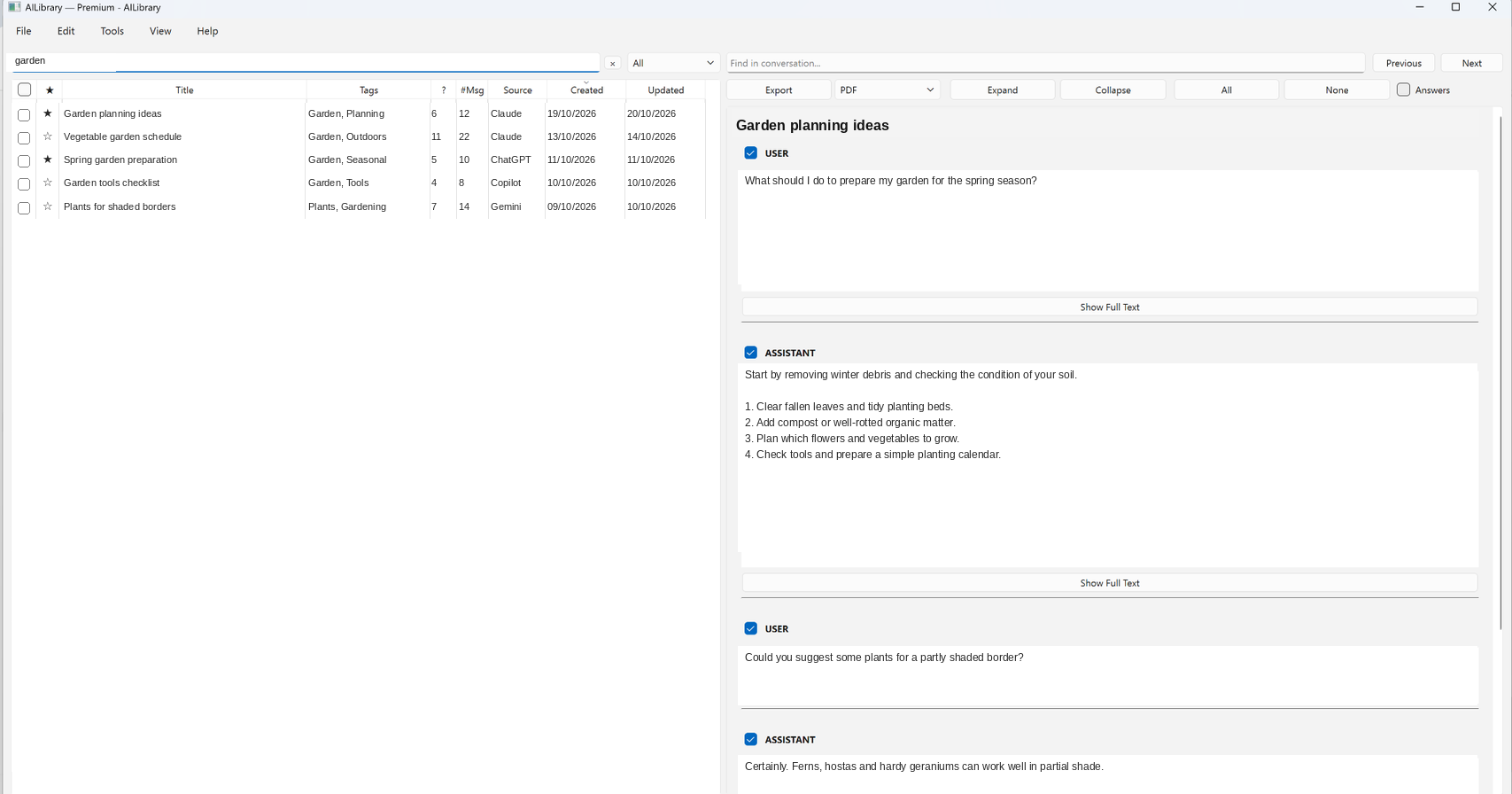
Once a compatible export is imported, use AILibrary’s full-text search, tags, notes, favourites and document exports. Keep the original source archive securely in case you need to repeat the import.
Troubleshooting
- No conversations imported? Check that your export contains conversation history and that you selected the matching import source.
- Export unavailable? Check your account or organisation's permissions and the provider's help page.
- Unexpected formatting? Export formats evolve. Try the latest AILibrary release and consult support.
- Privacy: Keep original archives secure and avoid sharing private conversation exports in support requests.
Organise your Grok history
AILibrary provides a searchable local collection for supported Grok exports alongside conversations from other AI services.
Download AILibrary All documentationReviewed 23 October 2026. Export tools and supported formats can change; verify provider instructions before use.